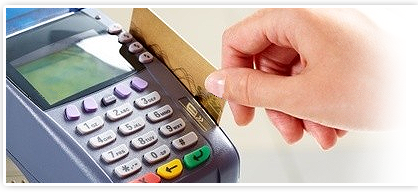
GFS offers its merchants a wide range of payment gateway solutions to process credit card and electronic check transactions over the internet. A payment gateway is required to accept credit cards and electronic checks over the internet. A payment gateway is a secure internet bridge between a merchant's web site and the credit card processing networks. Some of our gateway features nclude:
Virtual Terminal
 The Virtual Terminal allows a business owner to manually authorize and process credit card and check transactions from any computer with an Internet connection. keyboardpaperThe Virtual Terminal replaces an authorization terminal and enables a business owner to process a transaction without the credit card or check present. The business owner only needs the necessary information from the credit card or check and consumer to input into a computer.Once the information is entered into the computer, the payment gateway will send the business owner a confirmation that the transaction was completed.
Transactions are automatically settled each day. The money will then be wired to the business bank account depending on your merchant account agreement. Business owners can check the status of transactions, automatically bill customers for recurring charges, or run reports from the Virtual Terminal.
Shopping Cart
 WebLink or shopping carts allows Internet-based businesses to authorize and process credit card transactions without the business owner entering customer and credit card information. When customers are online and are ready to purchase products or services from the web site, WebLink or the shopping cart either captures the necessary information (name, credit card number, etc.) from the site's own secure transaction page or displays a standard WebLink or shopping cart transaction page, hosted on a payment gateway server for the customer to fill out. When the authorization process is complete, the customer receives an approval or decline response, and the payment gateway server stores the transaction. The business owner is then notified of the transaction. Transactions are automatically settled each day and funded to the business owner's bank account.
Our payment gateways allows a business owner to check the status of transactions, automatically bill customers for recurring charges, or run reports from the gateway Terminal.
API Integration
.png "API Integration") Our API Integration solution allows our merchants to utilize the highest level of secure transaction infrastructure available. Our API uses secure sockets layer (SSL) digital certificate technology to connect securely and directly between our merchant and the payment gateway.
Our API Integration solution allows our merchants to utilize the highest level of secure transaction infrastructure available. Our API uses secure sockets layer (SSL) digital certificate technology to connect securely and directly between our merchant and the payment gateway.
Batch Upload Processing
 Our batch upload processing allows our merchants to control and approve transactions manually prior to settlement.
Electronic Check Processing
.png "Electronic Check Processing") Our Electronic Check is a payment solution that allows internet and storefront merchants to accept and process electronic check payments directly from their storefront or web site. Virtual Terminal allows our merchants to increase their sales by accepting electronic checks either directly from their web site automatically or manually through the Virtual Terminal.
Our Electronic Check is a payment solution that allows internet and storefront merchants to accept and process electronic check payments directly from their storefront or web site. Virtual Terminal allows our merchants to increase their sales by accepting electronic checks either directly from their web site automatically or manually through the Virtual Terminal.
Recurring Billing
 Our Recurring billing allows our merchants to bill their customers daily, weekly, and monthly. Also, a merchant can bill their customers as many payments as they would like based off their agreement with their customers.
Fraud And Loss Insurance
 GFS has various programs, technology, and software to assist the merchant in minimizing losses from consumer fraud. GFS will assist your company in obtaining the internet risk management technology and procedures that are appropriate for your business model.
The technology and software that we utilize allows the merchant to:
- Control their potential risk of chargebacks and fraud.
- Set policies for accepting and rejecting transactions.
- Customize strategies to identify the difference between legitimate shoppers and fraudulent shoplifters.
- Review each transactions on an individual basis and to digitally ban a person, IP, and Host from accessing the site if it is considered high risk.
Prior to card authorization, the software looks at the parameters that the merchant pre-selects. If the transaction does not pass the predetermined threshold of parameters selected by the merchant, then the transaction is rejected and the merchant and cardholder are notified. This allows merchants to manage on-line risk and reduce costly chargebacks. Some of the available parameters that you can select are as follows:
- Address Verification
- Host Determination
- IP Determination
- E-mail Determination
- Velocity Controls
- Border Control
Fraud Insurance
 In addition to the various fraud detection software, we have programs that will insure the merchant against fraudulent chargebacks. The purpose of this program is to first minimize losses from the chargebacks. Secondly, to prevent the merchant from losing their merchant account from the card associations such as VISA and Master card for receiving too many chargebacks. Contact us for the specifics on this program.